Skip to content
AviSMS

What it does, module by module.

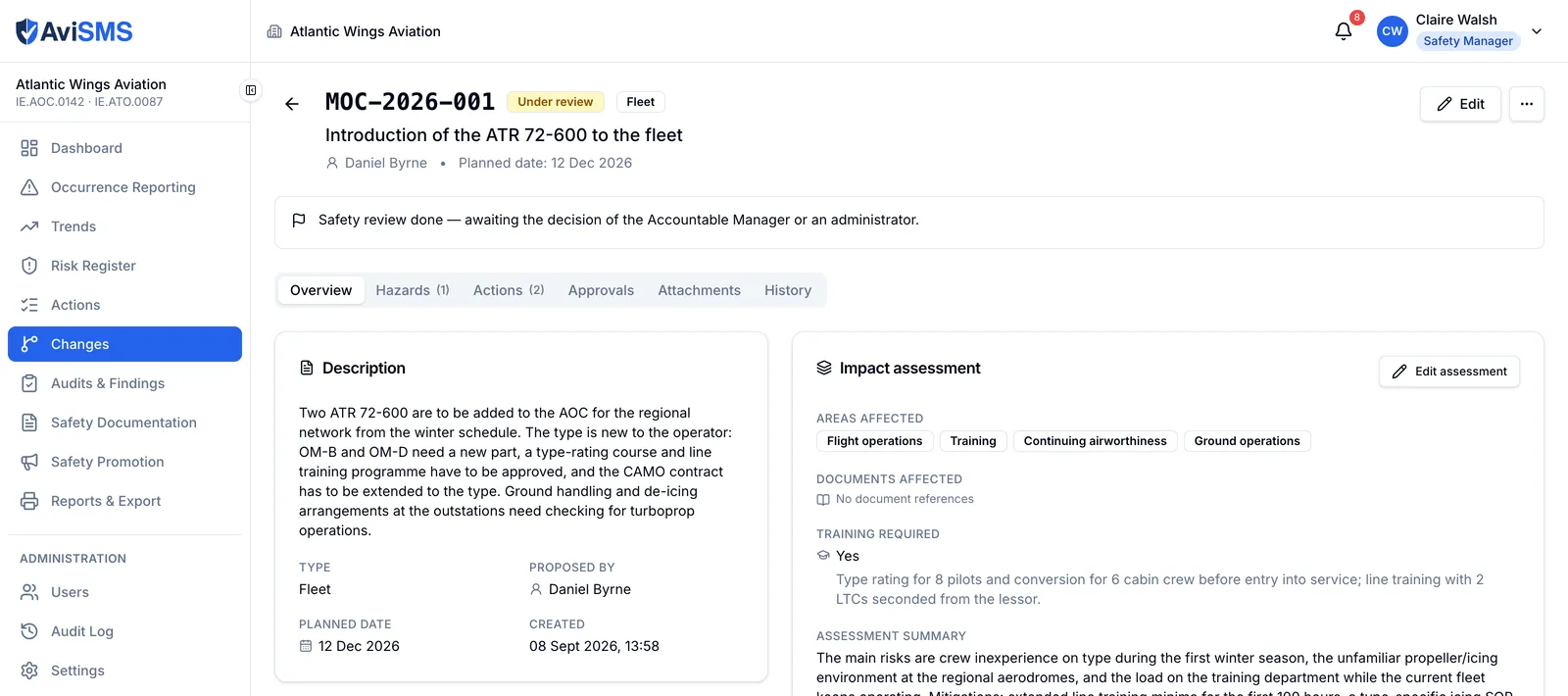
AviSMS is a web application with 9 modules that together cover the management system ORO.GEN.200 and ORA.GEN.200 describe: reporting, risk, audit, documentation, promotion and the settings that hold the organisation's accountability. It runs in the browser and stores everything under one organisation in the EU.

ORO.GEN.200(a)(3)

Dashboard

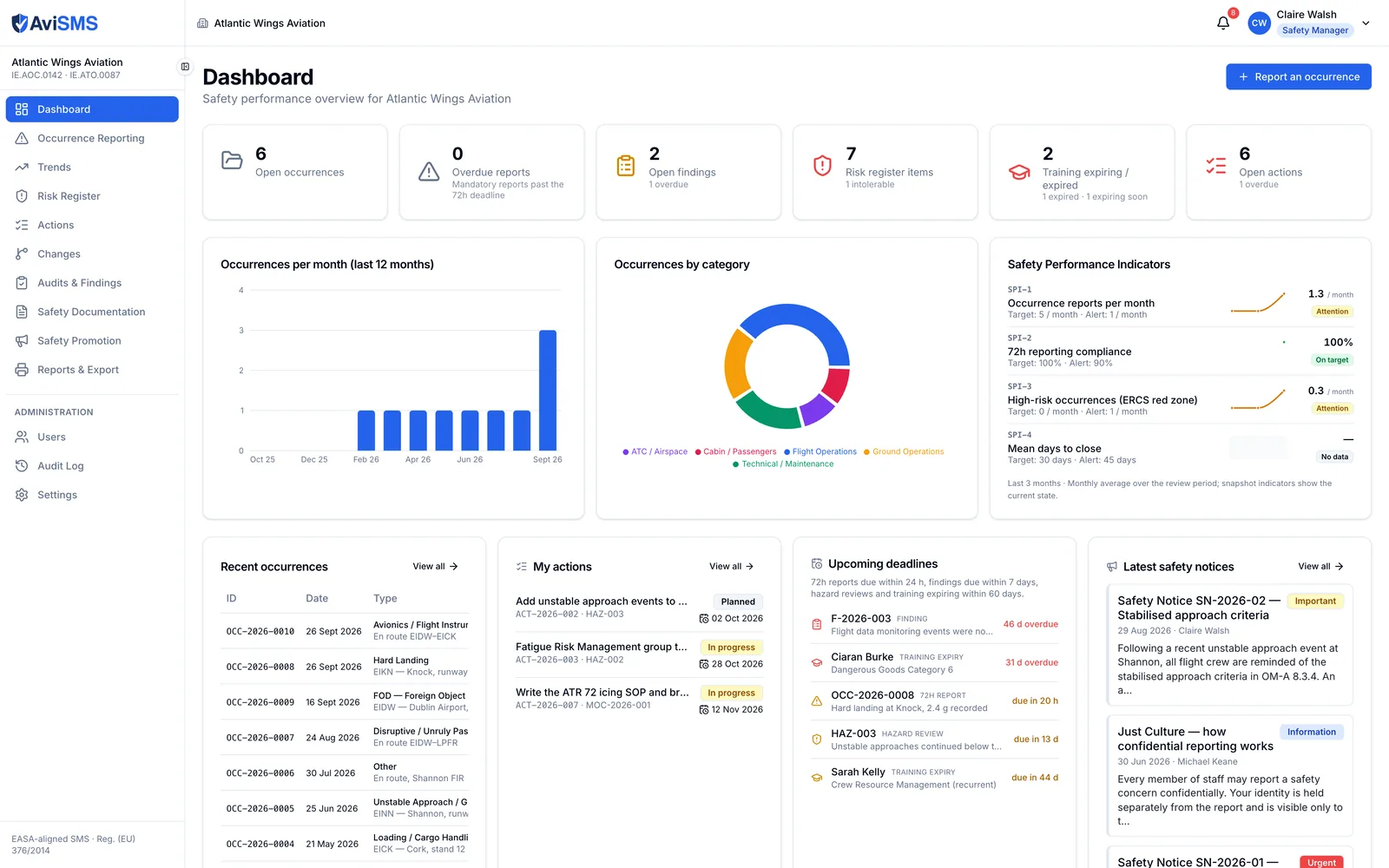
The safety manager's morning view: what is open, what is overdue, and how the indicators are trending.

  • Safety Performance Indicators with targets and alert levels, defined per organisation in Settings.
  • Monthly occurrence chart and category breakdown for the current period.
  • Open occurrences, reports inside and past the 72-hour window, findings by deadline, training expiring within 60 days.
  • Organisation-wide figures are computed server-side, so every member sees the same numbers.
Reg. (EU) No 376/2014, Art. 4, 7, 13, 16

Occurrence reporting

From the first report to closure, with the authority's format and the authority's clock.

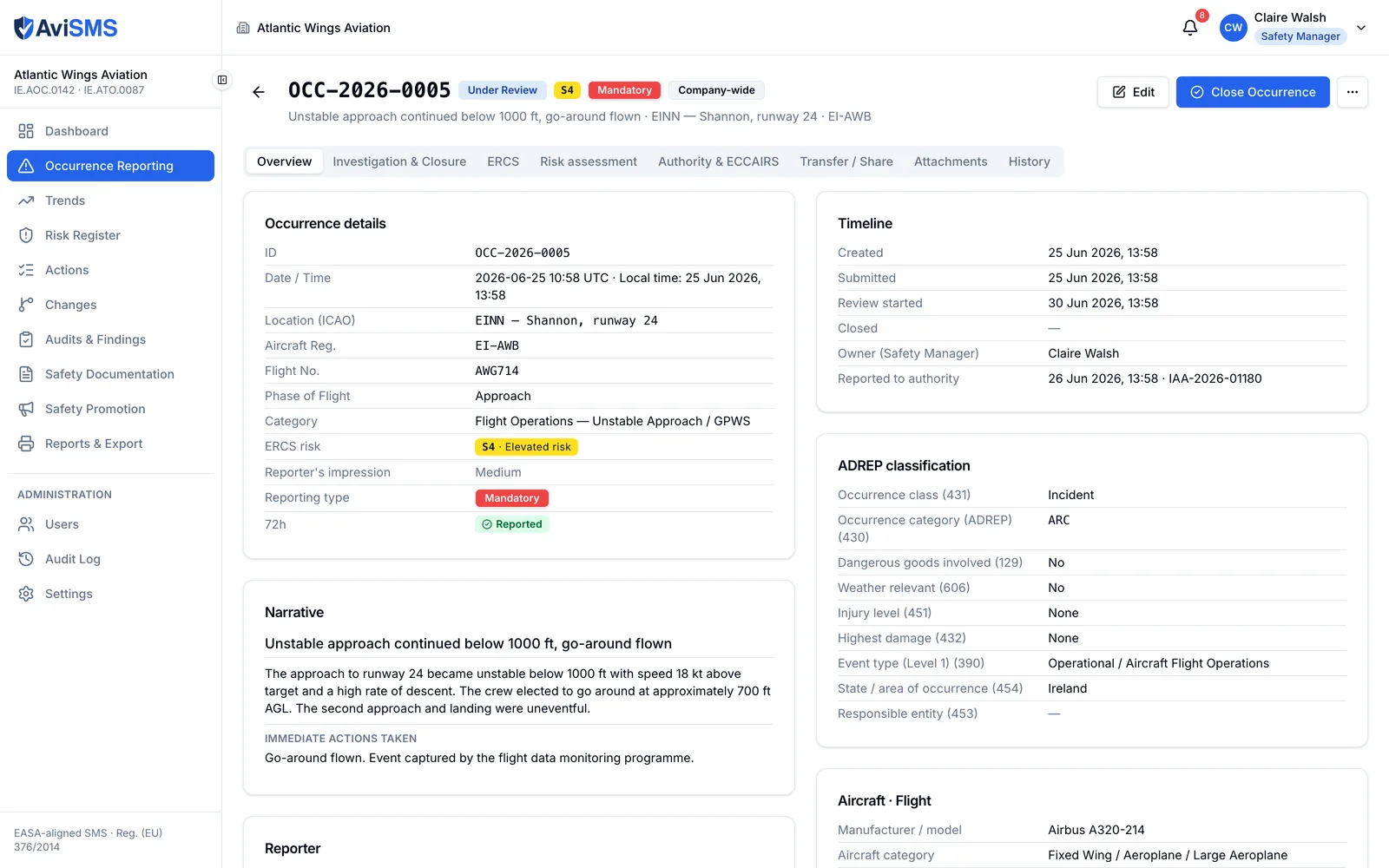
  • ECCAIRS-aligned form: headline, UTC and local date and time, state and location of occurrence, occurrence class and category, aircraft registration and category, phase of flight, injury and damage levels, weather relevance, dangerous goods.
  • ERCS classification: severity class A–E of the most probable accident outcome within a key risk area, and a barrier-by-barrier assessment that produces the score.
  • 72-hour authority-reporting countdown from the occurrence time; amber 24 hours before the deadline; stops when the report is marked as sent.
  • Investigation on the same record: Five Whys, root cause, corrective actions, follow-up.
  • Suggested risks and mitigations from a library keyed on the occurrence category, applied to the risk register in one step.
  • Forwarding to named colleagues, feedback to the reporter, and broadcast to the whole organisation.
  • Confidential (Just Culture) reports: the reporter's identity is stored in a restricted sub-record.
  • Attachments up to 25 MB each; sequential references (OCC-2026-0001); a full history of every change.
  • Exports: E5X bundle for ECCAIRS 2, the ECCAIRS form as PDF, the occurrence report as PDF.

Reg. (EU) No 376/2014, Art. 13

Trends

The analysis the regulation asks for, over any period.

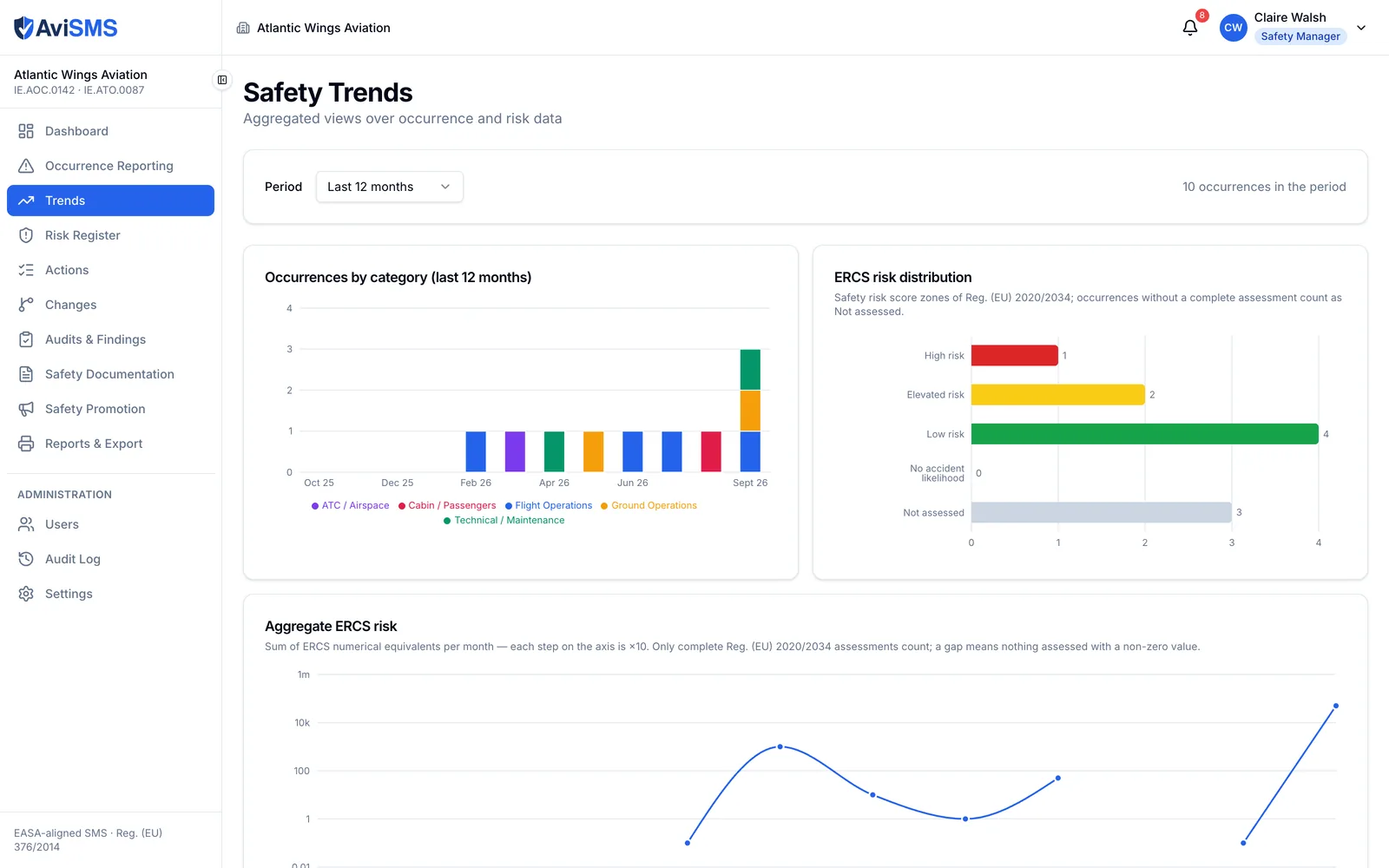
  • Breakdowns by category, severity, occurrence type, phase of flight and location.
  • 72-hour compliance: reported in time against reported late.
  • Open against closed, and the distribution of risk scores across the register.

ORO.GEN.200(a)(3)

Risk register

Hazards, their assessment, their mitigations and what is left after them.

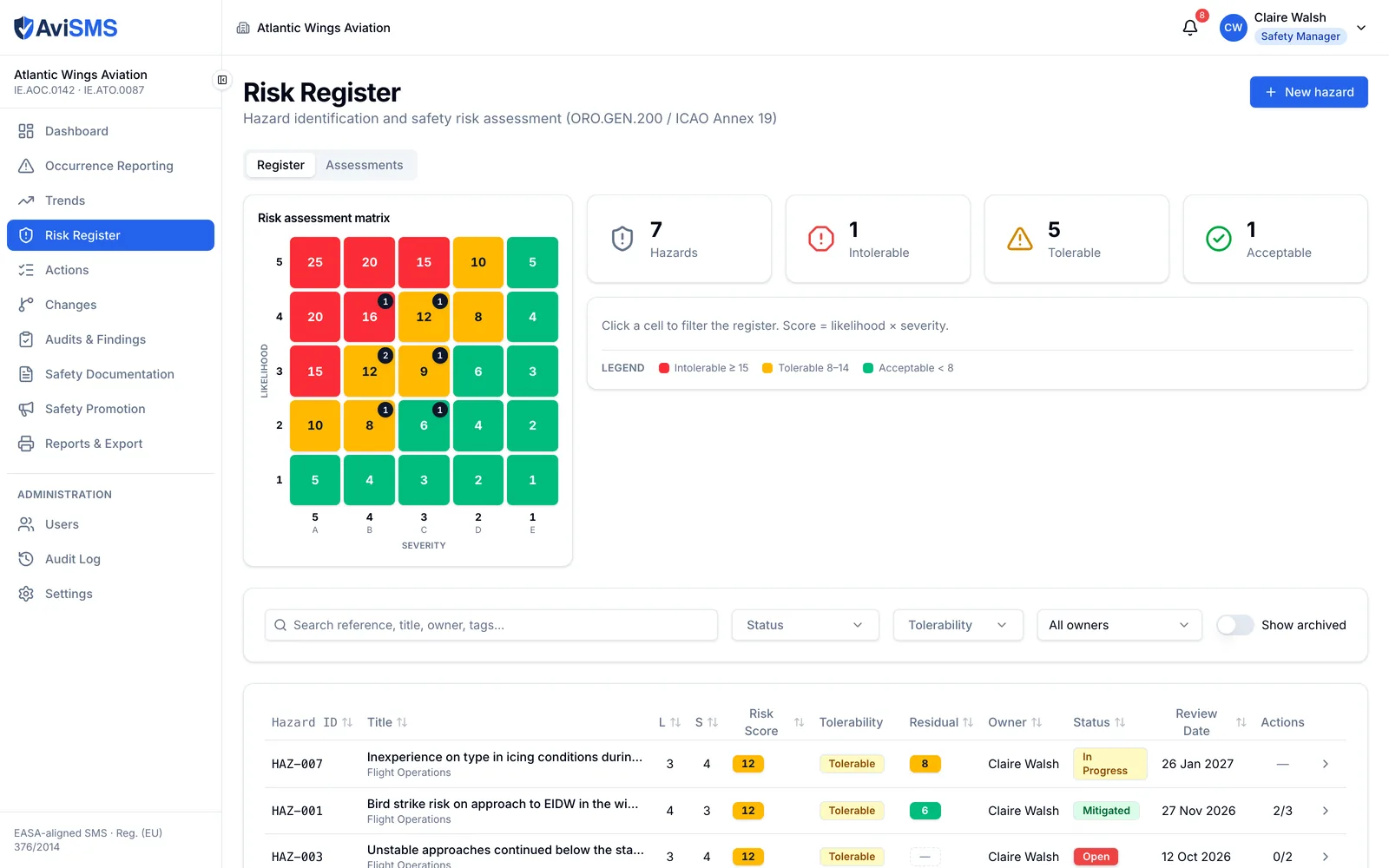
  • 5×5 matrix, likelihood against severity, score = likelihood × severity; tolerability thresholds default to 8 (tolerable with mitigation) and 15 (intolerable) and are configurable.
  • Intolerable risks are flagged for escalation to the Accountable Manager.
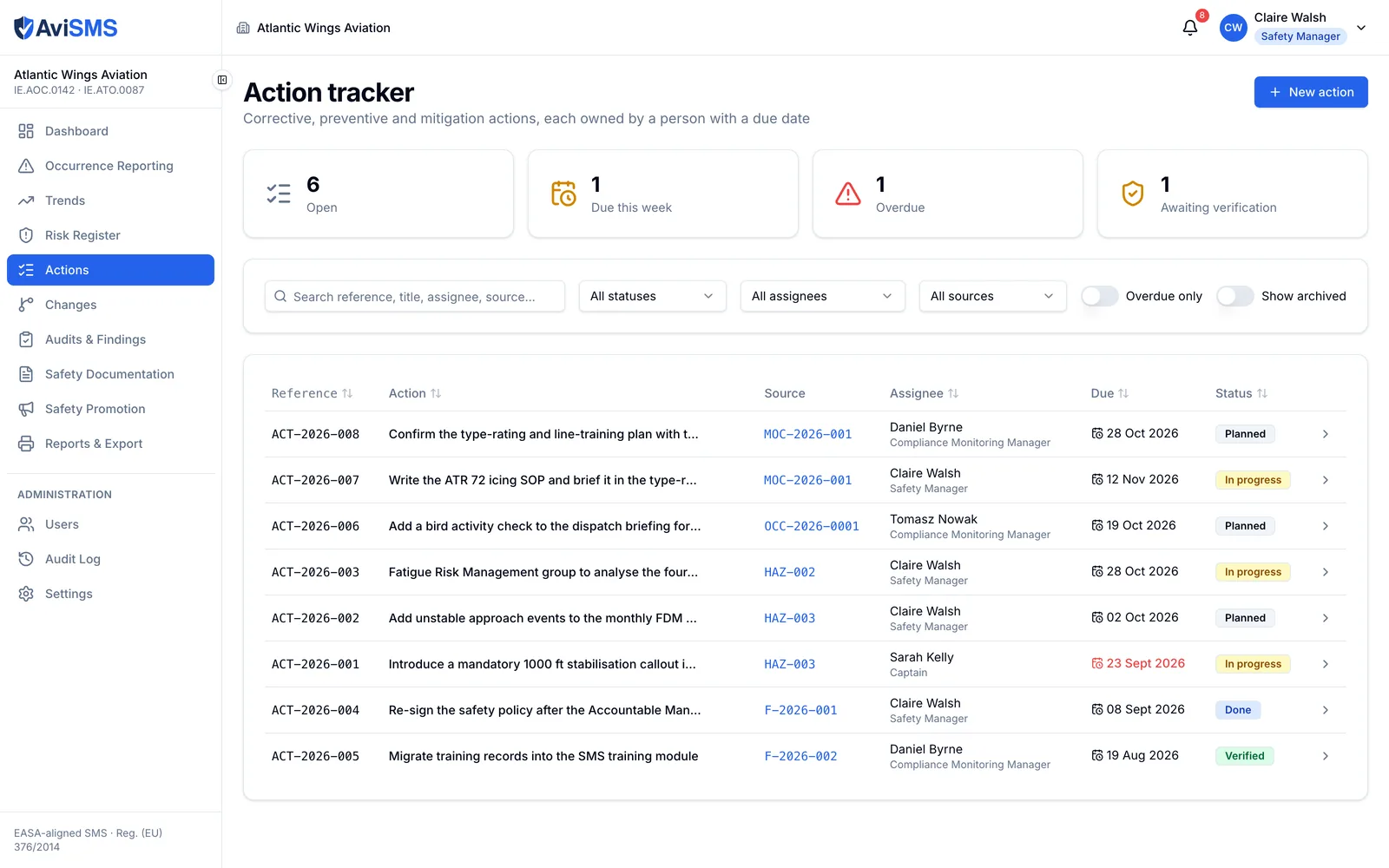
  • Mitigations with owner and status, residual likelihood and severity, and a mitigation library the organisation extends.
  • Links between hazards and the occurrences that raised them; hazards due for review are picked up by the daily check.
  • Sequential references (HAZ-001) and a full history.

ORO.GEN.200(a)(6)

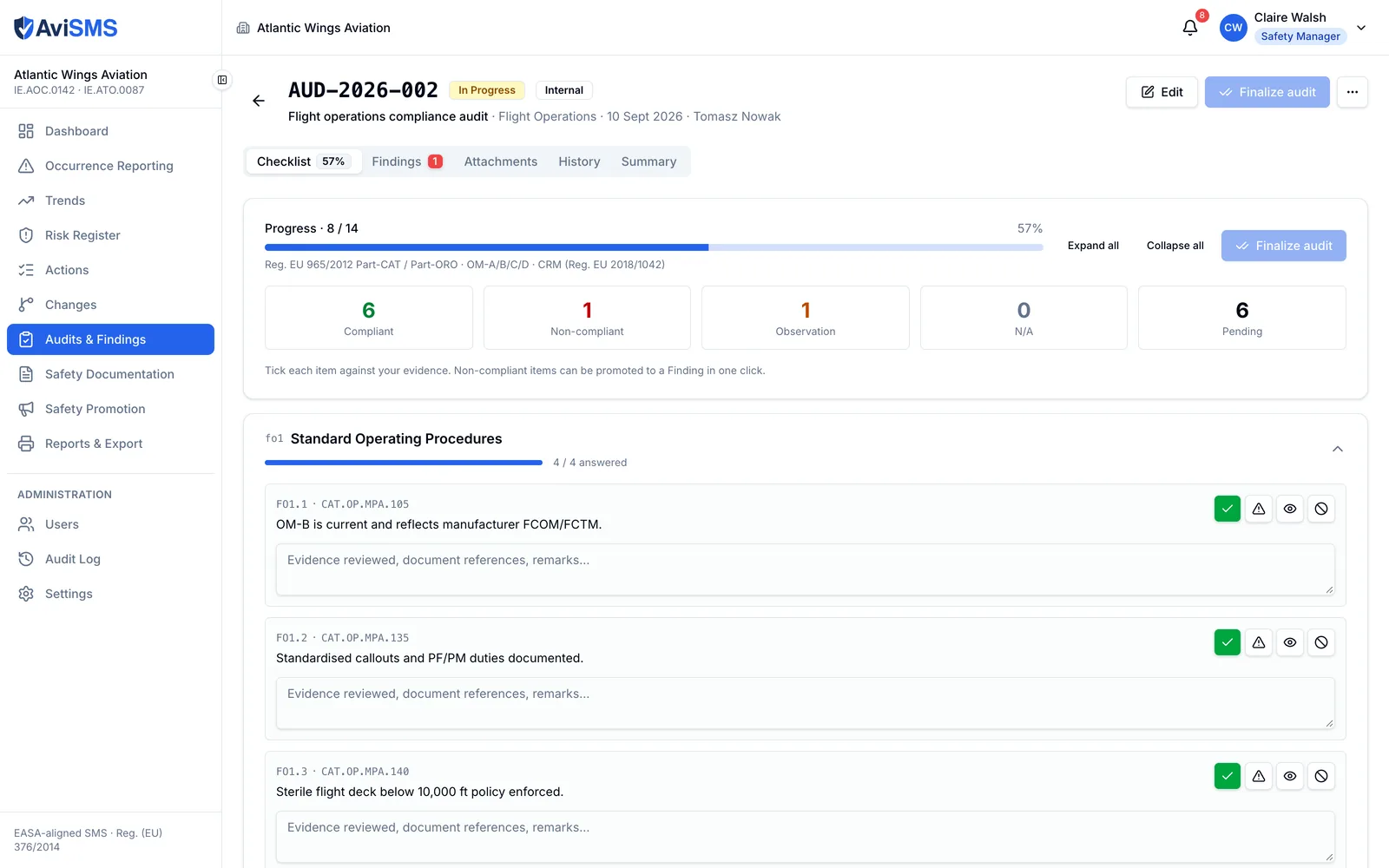
Audits and findings

Compliance monitoring with checklists, evidence and findings that have deadlines.

  • 30 checklist templates: 7 aligned with EASA requirements and 23 following the Operations Manual structure.
  • Four-state answers per item — compliant, non-compliant, not applicable, observation — with evidence and attachments.
  • Findings classified as Level 1, Level 2 or observation, with deadlines defaulting to 30, 90 and 180 days and configurable per organisation.
  • Extensions with a reason, verification of the corrective action, and closure.
  • Sequential references (AUD-2026-001, F-2026-001) and a full history.

ORO.GEN.200(a)(2), (a)(5)

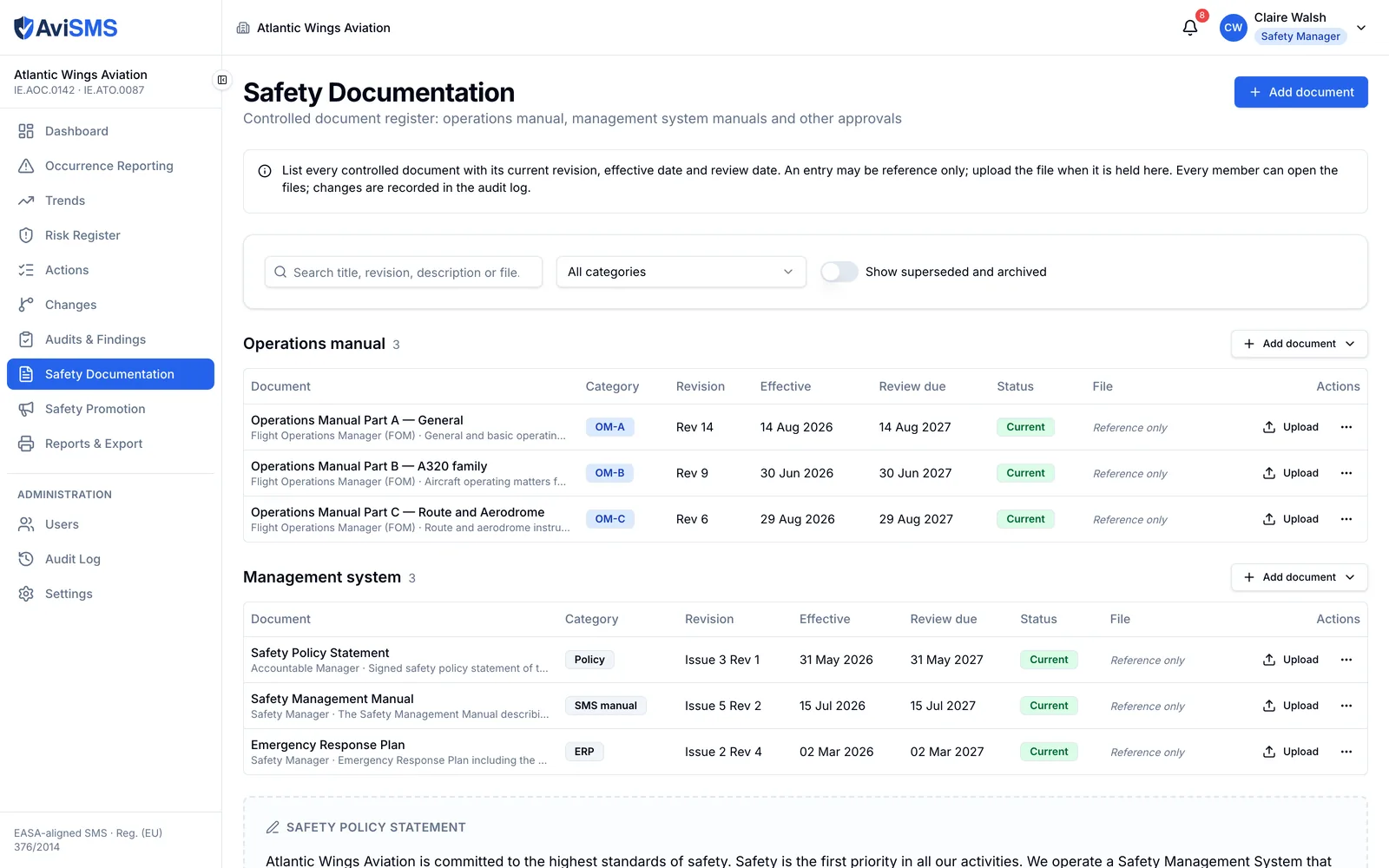
Safety documentation

The controlled documents the management system is made of.

  • Document types: safety policy, manual, emergency response plan, other.
  • Versions with effective dates; files up to 25 MB.
  • The safety policy statement, signed by the Accountable Manager, shown to every member.

ORO.GEN.200(a)(4)

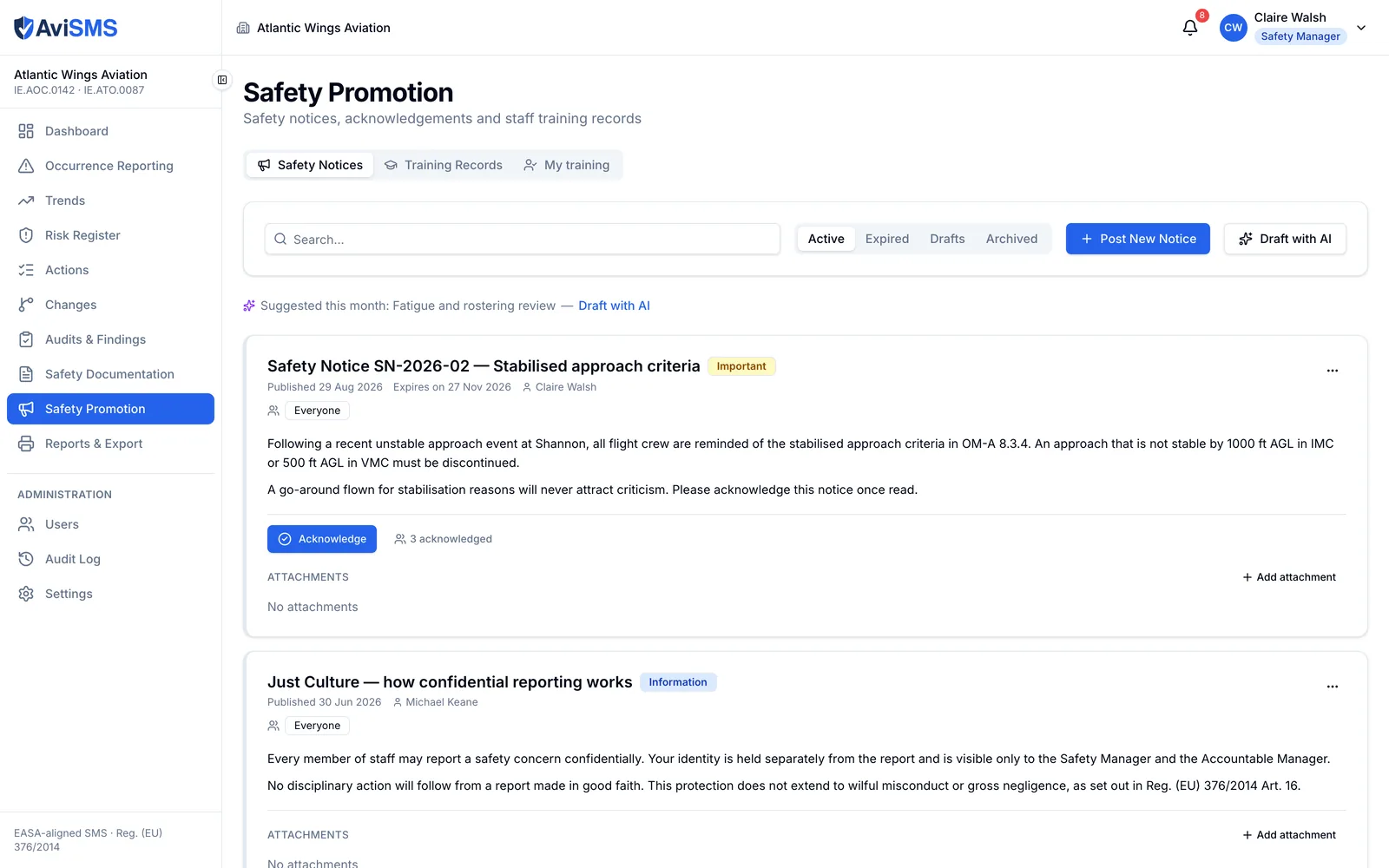
Safety promotion

Communication and training, with proof that it happened.

  • Safety notices with acknowledgements: who has read each notice, and who has not.
  • Training records per person with expiry dates, a 60-day warning and a daily check for lapses.

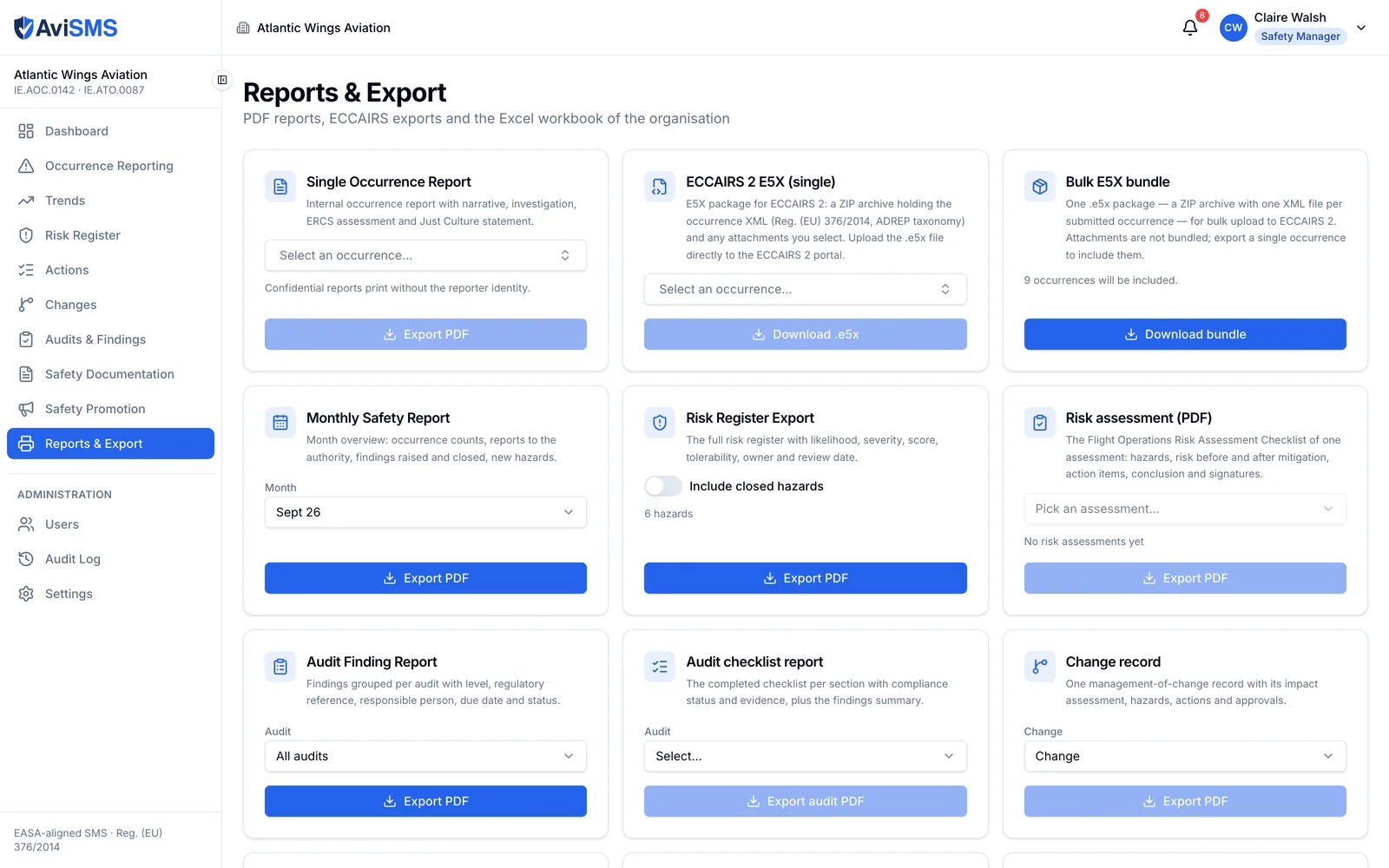
Reports and export

Everything the authority or the Accountable Manager asks for, as a file.

  • PDF: occurrence report, ECCAIRS form, monthly safety report, risk register, audit findings, audit checklist.
  • Excel workbook with occurrences, hazards, audits and findings on separate sheets.
  • E5X bundle for ECCAIRS 2.
  • An Operations Manual section describing the safety management system as configured, ready to paste into the manual.

ORO.GEN.200(a)(1)

Settings

The organisation's accountability, people and thresholds.

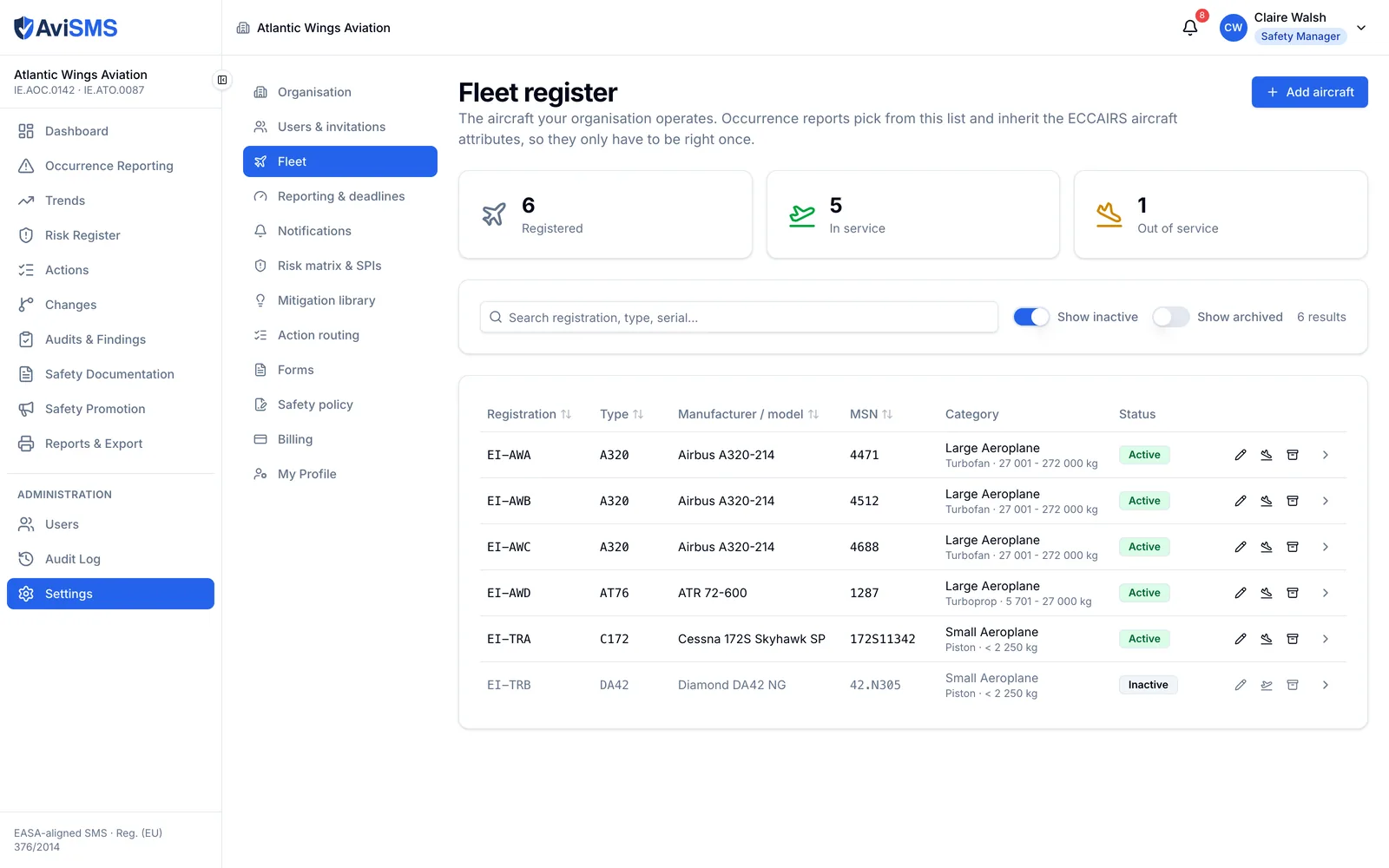
  • Organisation profile: name, AOC and ATO numbers, competent authority, Accountable Manager, Safety Manager, logo.
  • A dated history of Accountable Manager changes, with the reason.
  • Users and invitations: invite by email, links valid for seven days; deactivate and reactivate; change roles.
  • Reporting deadlines (72 hours, finding deadlines, training warning), risk thresholds, SPI definitions, safety policy text.
  • Data management: exports and a reset of demonstration data.
  • An audit log of every write, readable by administrators, written only by server-side functions.

Five roles

A user belongs to exactly one organisation. Their role travels on the sign-in token as a claim set only by a server-side function, and the security rules enforce it on every read and write — the browser is never trusted.

Five roles
RoleWhat they can do
AdministratorEverything, including users, invitations and settings.
Safety managerOccurrences (investigate, classify, close), risk register, audits, documents, promotion, reports; settings read-only.
AuditorAudits and findings in full; read access to everything else; no users or settings.
ReporterFiles reports; sees their own, broadcast and forwarded occurrences; reads documents and notices.
ViewerRead-only across the organisation; no users or settings.

Every export

Each one is generated in the browser from the organisation's live data, with the organisation's name and logo.

Every export
WhatFormatNotes
Occurrence reportPDFFull record including ERCS, investigation and history.
ECCAIRS formPDFThe occurrence laid out as the ECCAIRS reporting form.
E5X bundleE5X (zip)ECCAIRS 2 exchange format, ADREP taxonomy, ready for the authority's reporting portal.
Monthly safety reportPDFOccurrences, trends and open items for a month.
Risk registerPDF, ExcelHazards, assessments, mitigations, residual risk.
Audit findingsPDF, ExcelFindings with levels, deadlines and status.
Audit checklistPDFA completed checklist with answers and evidence.
Organisation workbookExcelOccurrences, hazards, audits and findings on separate sheets.
Operations Manual sectionTextThe SMS as configured, in manual-ready prose.

What is not built

Said plainly, so nobody finds out during an audit.

  • No native mobile app. The web application is responsive and works on a phone, but there is no App Store or Play Store listing.
  • No direct transmission to ECCAIRS 2. AviSMS produces the E5X file; you upload it through your competent authority's reporting portal.
  • No flight data monitoring. Occurrences are reported by people, not derived from recorded flight data.
  • No public API. Data leaves through the exports above.

See it with your own organisation.

Create your organisation at app.avisms.aero and you are its first administrator. Everything above is switched on.